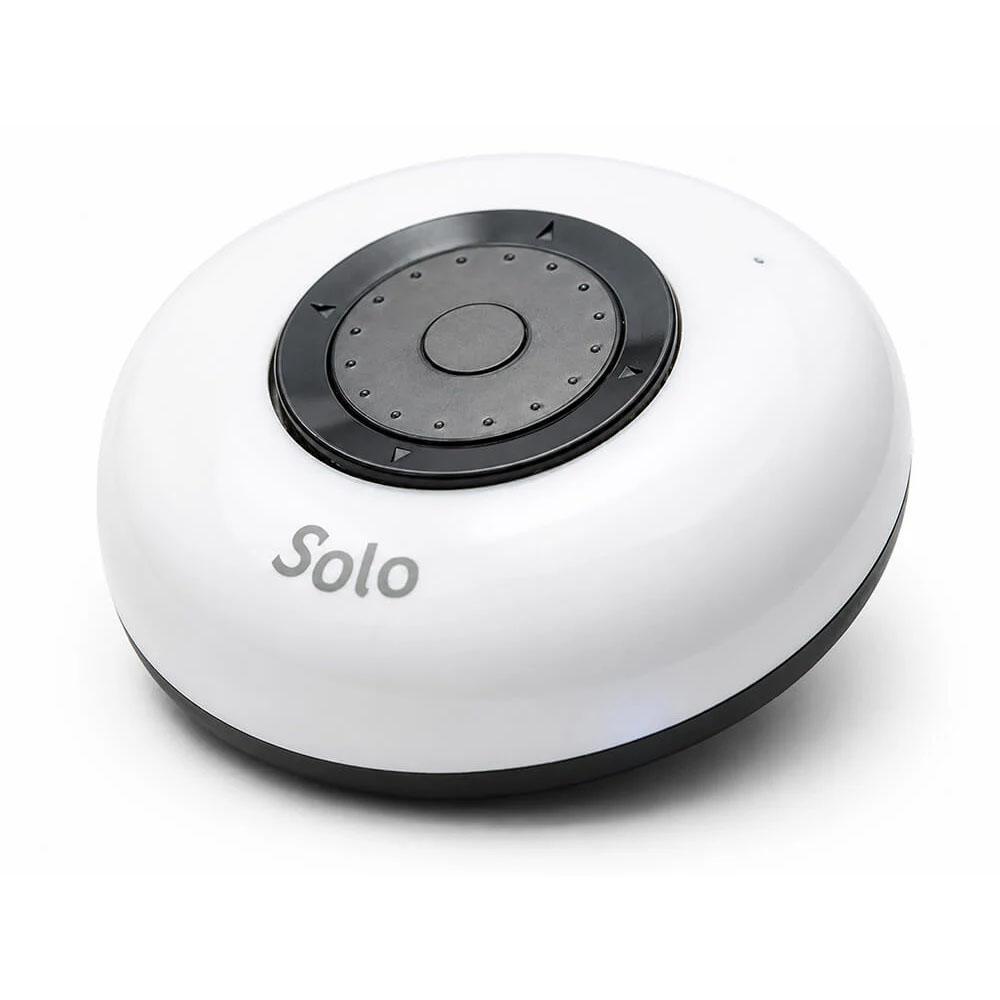
Wireless navigation controller designed to combine scrolling, keyboard navigation and mouse control in a single accessible device
Ideal for users who benefit from simplified navigation, the Solo Wheel enhances four-button control by adding smooth, continuous scrolling. This supports independent access and reduces the need for complex gestures, making it particularly useful for individuals with limited dexterity or coordination.
With wireless connectivity across iOS, Android, Windows and Mac, the Solo Wheel offers flexible, cable-free use in a variety of settings, from classrooms to home environments.
Features
- Wireless Bluetooth connectivity – compatible with iOS, Android, Windows and Mac devices.
- Central scrolling wheel – smooth, intuitive navigation through lists and menus.
- Select button function – supports clear choice-making and interaction.
- Enhanced four-button navigation – adds greater control and flexibility.
- Supports independent access – ideal for use with tablets, smartphones, computers and communication aids.
- Compact design – the 6.5 cm diameter makes it easy to handle and position.
- Simple interaction method – reduces reliance on complex touch gestures.
- Customisable functionality – adaptable to suit individual access requirements.
- Long-life rechargeable battery – built-in Li-Polymer battery provides portable, convenient use and charges via a Micro USB cable.
Using the Solo Wheel
Mouse Control mode
This is the default mode.
- Outer Ring: moves the mouse pointer
- Wheel Rotation: Scrolls Up and Down
- Centre Button: performs Left Click or Enter depending on the last action
Diagonal movement is possible by pressing between directional areas.
Keyboard Navigation mode
This mode uses directional keyboard commands.
- Left and Right Buttons: Arrow Left and Right
- Top Button: Home
- Bottom Button: Back
- Wheel Rotation: Arrow Up and Down
- Centre Button: Enter
Useful for Android and menu navigation.
Keyboard and Mouse mode
This mode combines keyboard navigation with mouse movement.
- Short presses send navigation keys.
- Long presses move the pointer.
- Long press on centre button performs left click.
Three Functions mode
This advanced mode adds multimedia controls using double taps.
- Double tap right: Play/Pause
- Double tap up: Volume up
- Double tap down: Volume down
- Double tap left: Power button
- Double tap centre: Search