
Inclusive by design

Plug-and-play simplicity

Adjustable touch sensitivity

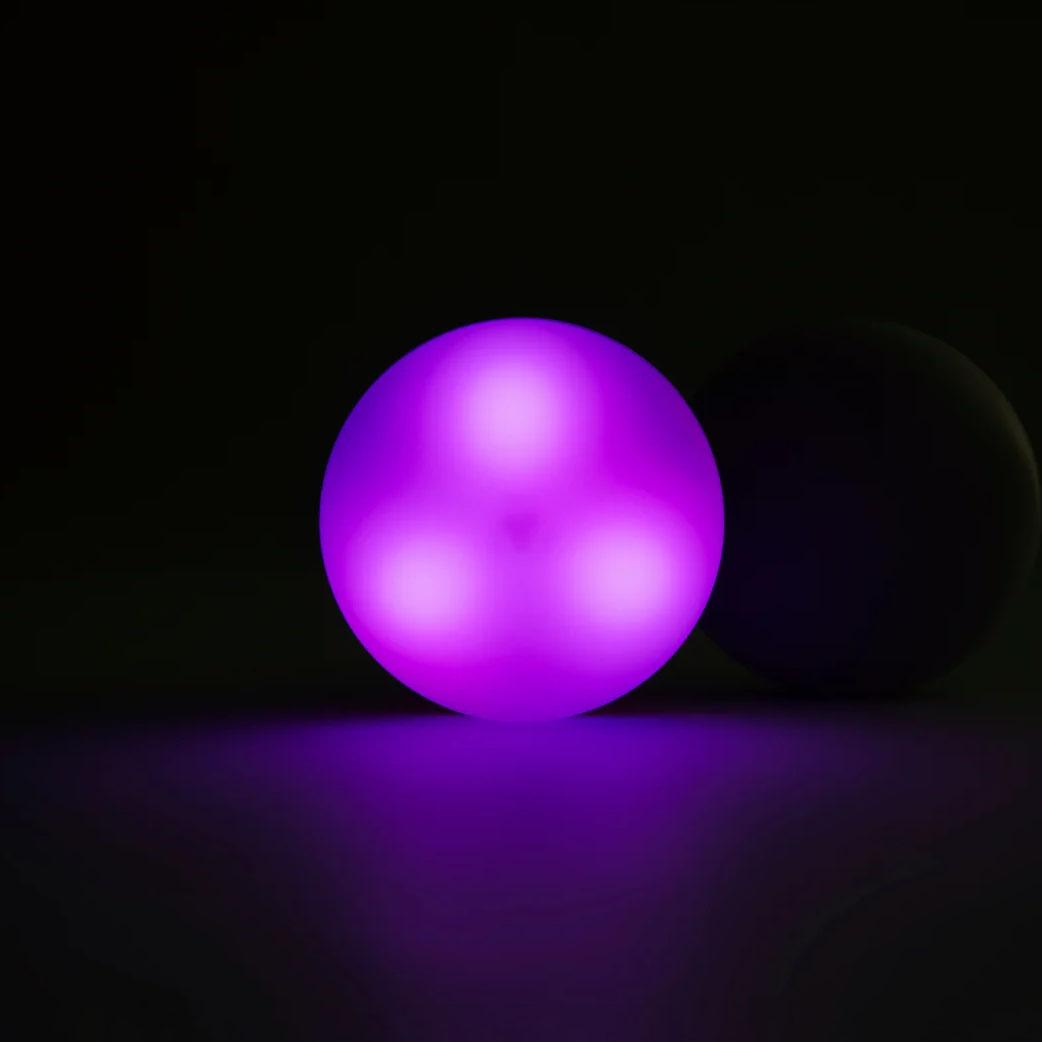
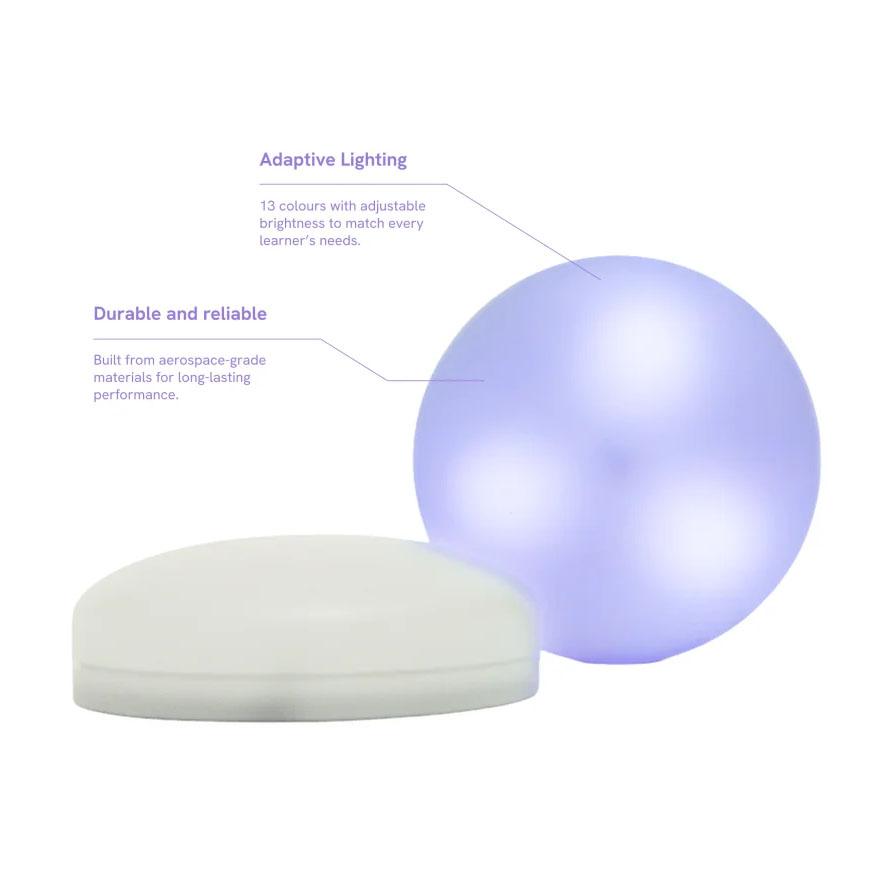
Multi-colour LEDs

Durable
(drop-tested to 3m)
Long-life battery
(up to 10 hours)
Comparison
Cosmo Dot
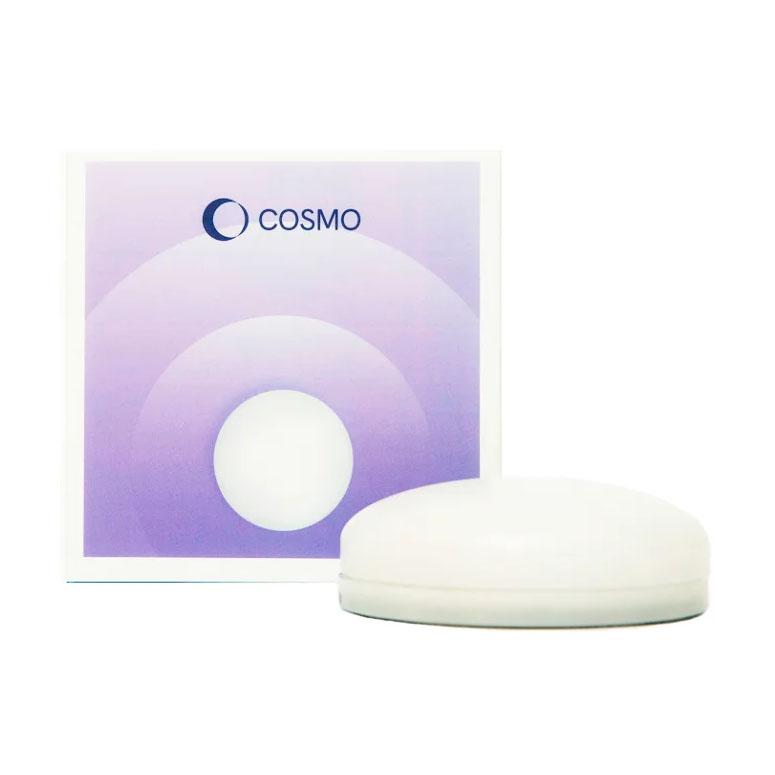
Cosmo Dot is a single, multi-sensory Bluetooth switch that lights up and responds to every touch, giving clear immediate feedback.
It is ideal when you want to offer a simple, engaging way to interact with Bluetooth enabled AAC devices, or cause and effect software.
Cosmo Learning System
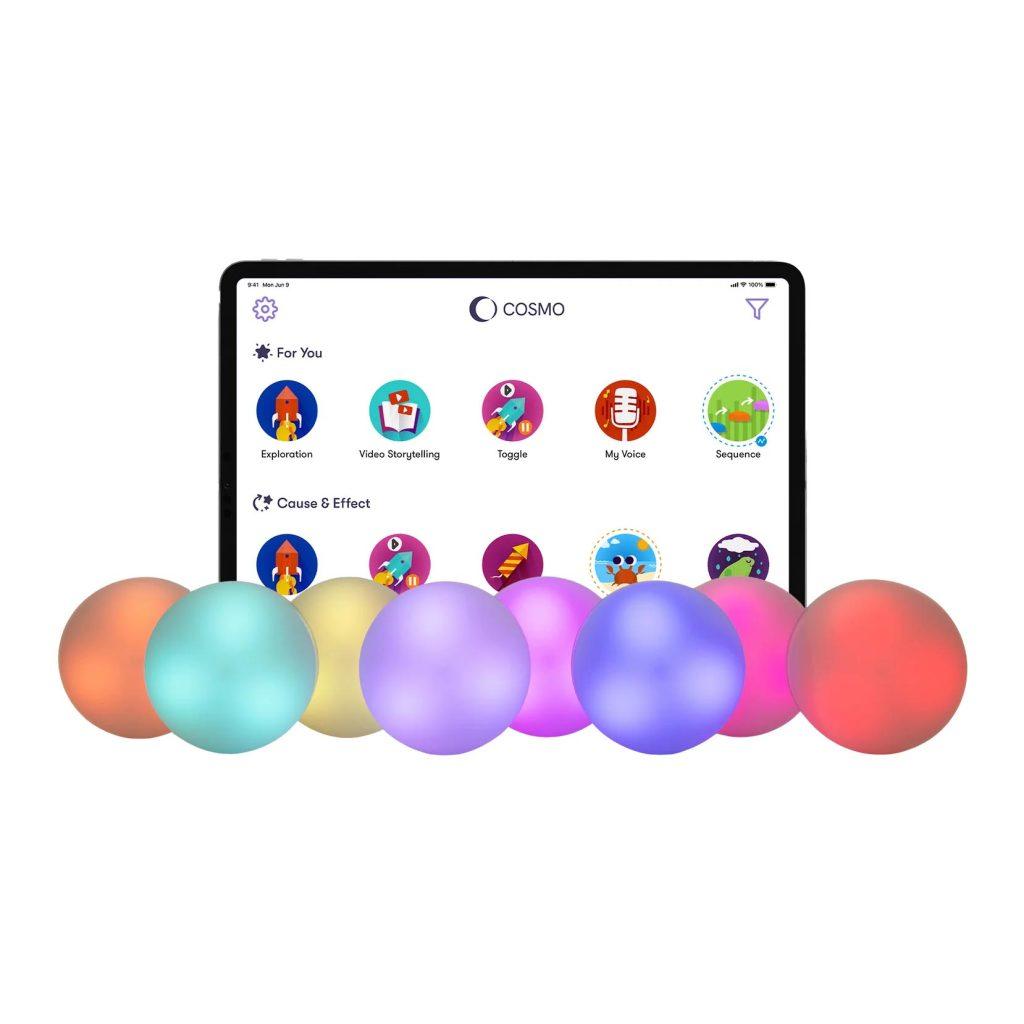
The Cosmo Learning System is a full, play-centred learning and therapy solution that combines a set of 8 Cosmo Dots, along with a rich library of multiple app activities grouped into themed learning suites.
(Cosmo Learning App requires an iPad running iPadOS 15 or later).

Cosmo Dot
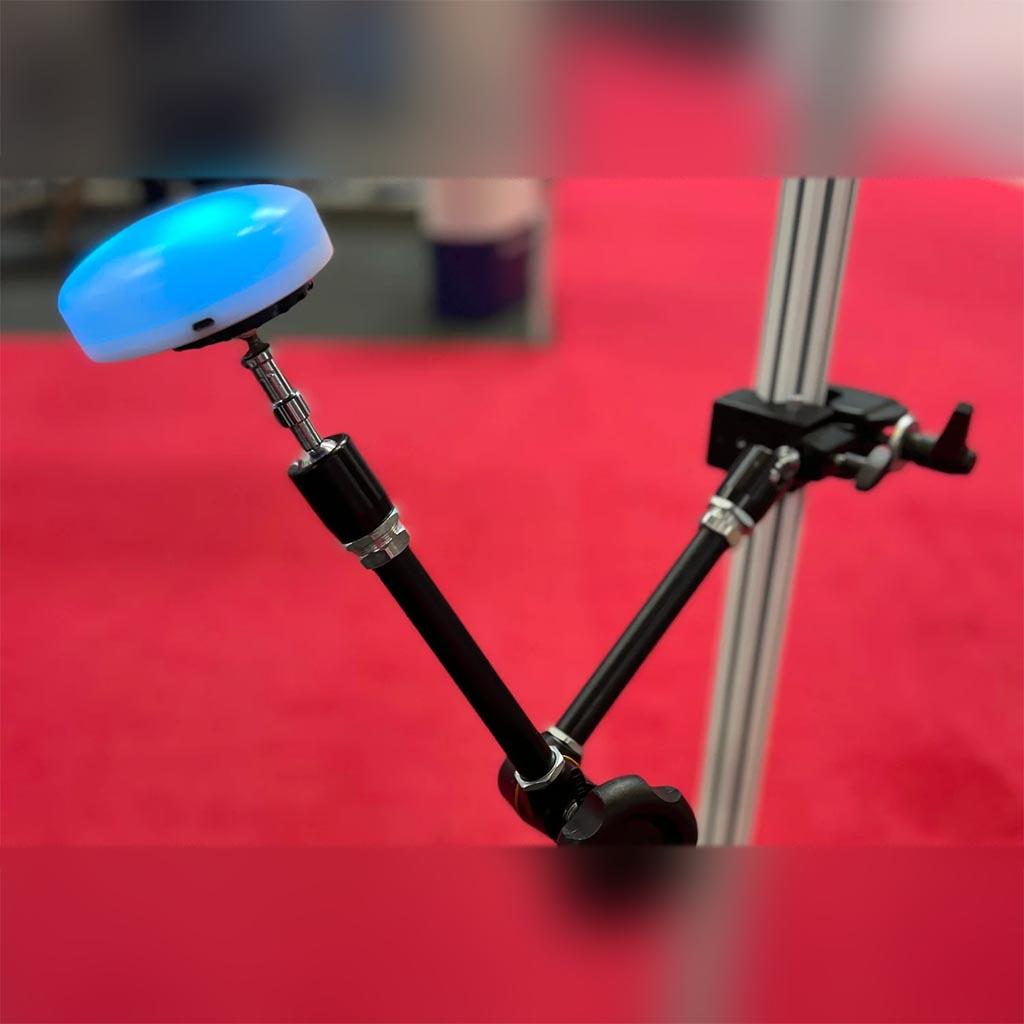
The Cosmo Dot is a multi-sensory, Bluetooth-enabled controller designed to make every interaction engaging, inclusive and purposeful.

What is the Cosmo Dot?
Cosmo Dot is a Bluetooth enabled accessibility switch that works with a wide range of compatible devices and apps, making it a versatile AAC tool for communication, choice making and access. Each Dot lights up and responds to touch, turning interaction into feedback and feedback into learning.
You can use the Cosmo Dot in two ways. Use it on its own as a standalone accessibility switch for simple, motivating access to devices and apps, or combine several Cosmo Dots within the Cosmo Learning System App to gain access to evidence-based activities that support cognitive, motor, social and emotional skills.
Made from aerospace-grade materials and engineered for durability,
Multi-Sensory, Motivating Feedback
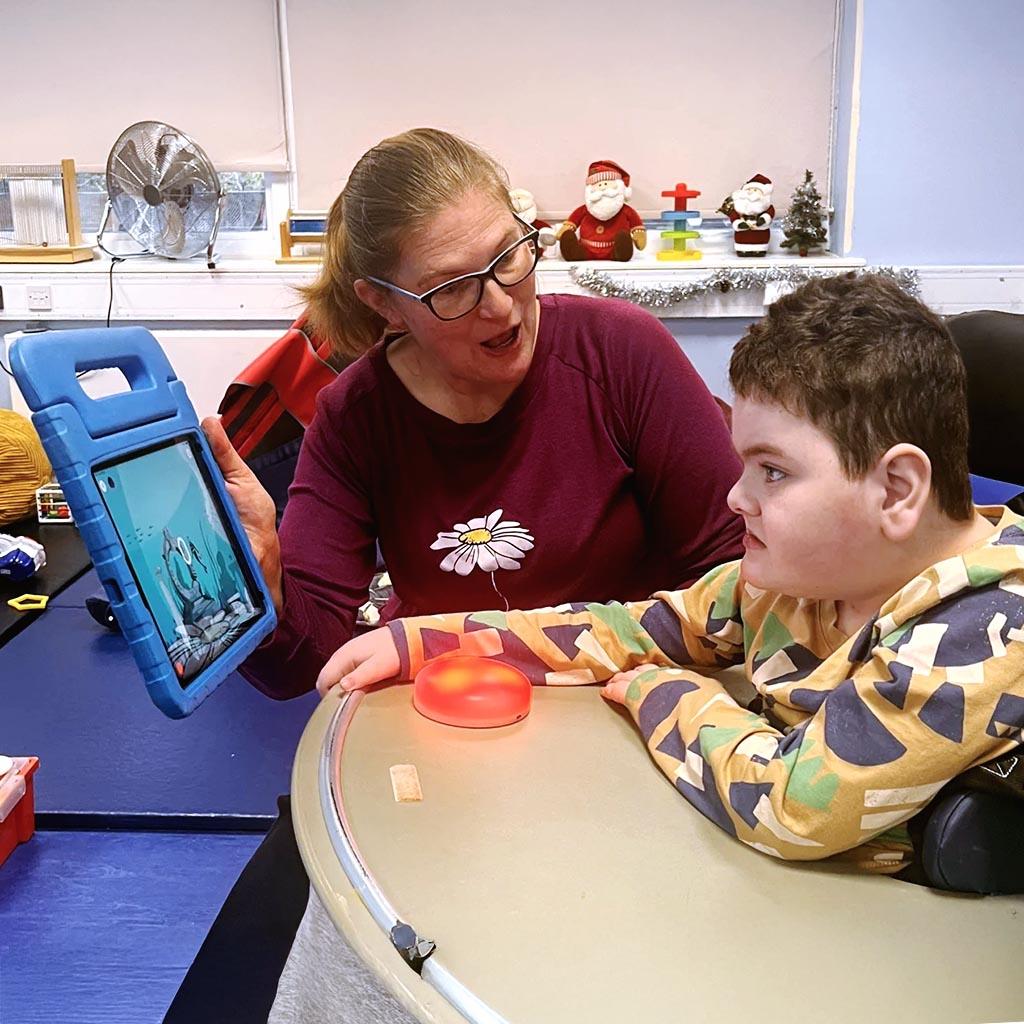
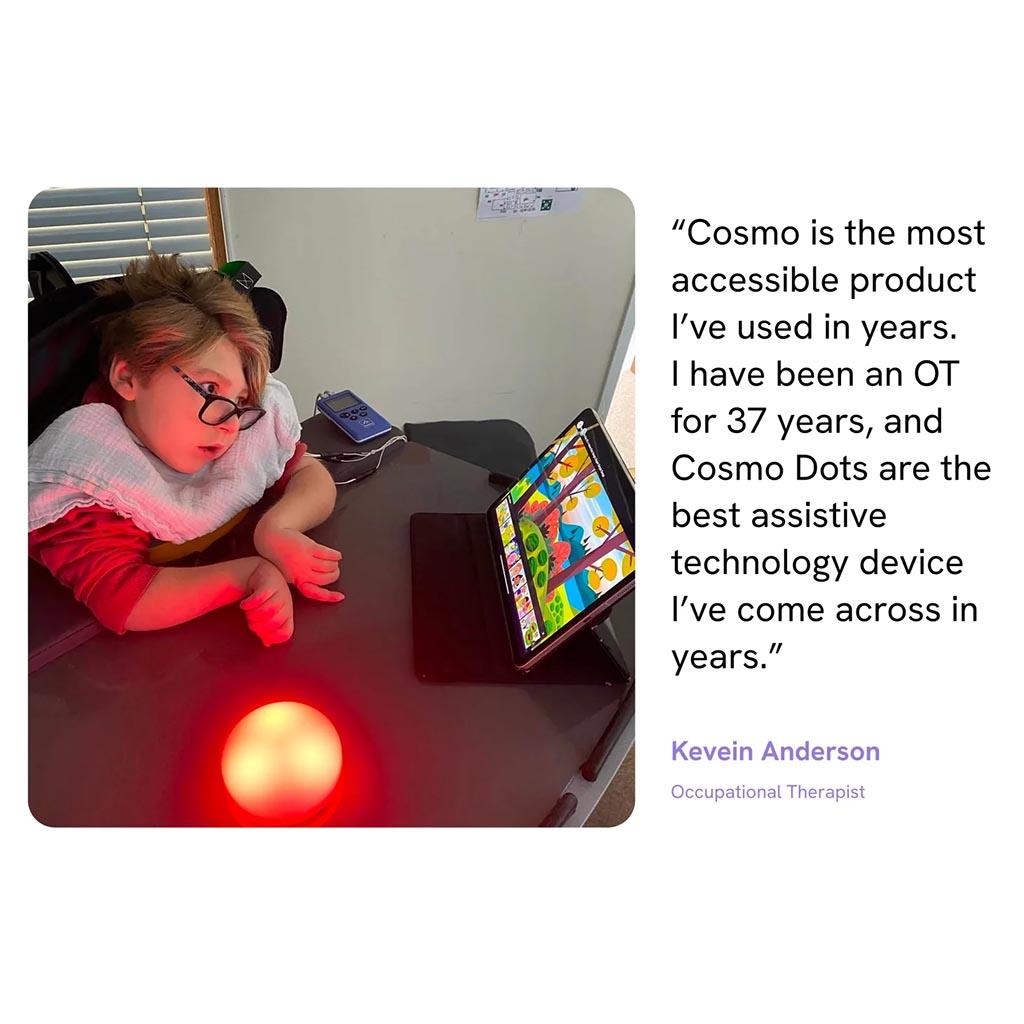
Cosmo Dot is designed to be instantly rewarding. The touch-responsive surface lights up in rich, changing colours with every activation, giving clear visual and sensory feedback. That feedback helps learners understand cause and effect, stay focused for longer and feel in control.
It can be used successfully by learners with a wide range of movement abilities and cognitive needs. It’s highly responsive and can be adjusted in sensitivity, making it suitable for lighter touches through to more deliberate presses.
Switch access made simple
Cosmo Dot works as a wireless accessibility switch for tablets, phones and computers, so learners can take part in all kinds of activities, including switch-accessible cause and effect games to more advanced learning and communication tools.
Pair it via Bluetooth and use Cosmo Dot to:
- Control switch-accessible games and apps.
- Access learning software on iOS, OS X, Chromebooks, Windows and Android devices.
- Start, stop and navigate simple games and media players.
Once it is set up, learners just press Cosmo Dot to interact, making access feel straightforward and predictable.them.
Built for AAC and Communication
Cosmo Dot is an excellent option for learners who use Augmentative and Alternative Communication (AAC) or are just beginning to explore it. It can be used for scanning, selecting and simple choice making inside many popular AAC apps and software tools.
You can use Cosmo Dot to:
- Support switch scanning within AAC grids.
- Offer clear yes / no or two-choice setups.
- Give learners a consistent, motivating way to make their own selections.
The combination of gentle lighting, adjustable sensitivity and robust design makes it a reassuring choice for both learners and the adults supporting them.
Compatibility You Can Rely On
Cosmo Dot is designed to fit neatly into existing setups and routines.
Works with creative apps such as GarageBand and ThumbJam.
Connects to most Bluetooth tablets, computers and phones, smart boards, smart TVs, and switch-accessible online games, such as HelpKidzLearn.
Works alongside other Cosmo Dots in the same room.
Ideal for use with AAC software such as Proloquo2Go, Grid, Clicker and more.
Smart, Sturdy and Ready for Busy Days
Cosmo Dot is built to cope with daily use in schools, therapy services and homes. It has a fast, stable Bluetooth 4 connection, a rechargeable battery with extended life and a tough outer shell that stands up to regular use. It is simple to set up and quick to re-configure, so you can move between learners or activities without losing time.
Cosmo Dot App
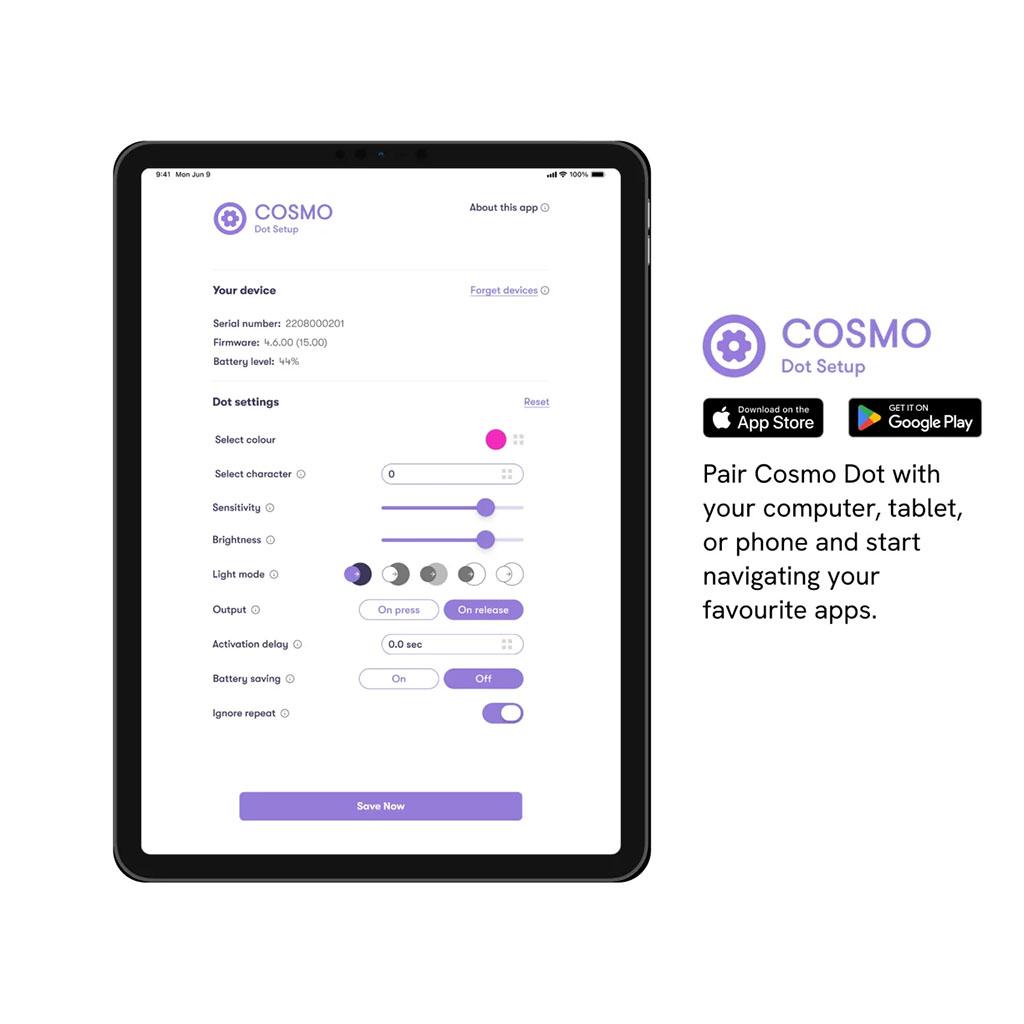
Use the free Cosmo Dot App to set your preferences for your Cosmo Dot.
You can use it to:
- Adjust touch sensitivity and activation settings by selecting between ~50 and ~120 grams.
- Choose colours and light effects.
- Map Cosmo Dot to different keypresses or functions.
- Save and update your settings as your learner’s needs change.
Set it up once, and Cosmo Dot is ready to use across your preferred apps, software and devices. You can revisit the app at any time to fine-tune settings for different learners.
Cosmo Dot Setup app for iOS

Cosmo Dot Setup app for Android

Support
About Cosmo Dot Switch
All Cosmo Dot devices can work with the Cosmo Training app or as accessibility switches. As an accessibility switch, the Cosmo Dot can be paired with tablets, computers and phones that support Bluetooth Low Energy (Bluetooth V4.0 or later). This allows you to use the switch to control your AAC apps, navigate your computer or tablet, access games, educational materials and more.
Cosmo Dots are in Cosmo Mode with their default factory settings and will only work with the Cosmo Training app. To use the device as an accessibility switch, the operation mode has to be changed to Switch Mode, and the Cosmo Switch app is needed to configure the settings for Switch Mode.
The current operation mode of the device (Cosmo Mode vs Switch Mode) can be distinguished easily by its behaviour when it is on. If the device lights up in white colour when the power button is pressed, it is operating in Cosmo Mode. If the device lights up in any other colour or blinking pattern during power on, then the device is running in Switch Mode.
Turning your Cosmo Dot on/off
To turn your Cosmo Dot ON, please press the blue button at the bottom of the device. To turn the Cosmo Dot OFF, please press the blue button for 2 seconds.
The Cosmo Switch app
Please check the following important notes before starting:
Note: To connect a Cosmo Dot to the Cosmo Switch app, it has to be operating in Cosmo Mode. This means that the device should light up in white colour when it’s on. If this is not the case, follow the instructions in the “Switching Between Operation Modes” section to switch into Cosmo Mode before using the app.
Note: The Cosmo Switch app can be used to configure one Cosmo Dot at a time. If you have more than one, please make sure that the rest of them are powered off during the procedure. If more than one device is turned on with the app opened, please turn off all the devices, close the app and restart from the beginning.
Please download the Cosmo Switch app from App Store (iOS) or Play Store (Android) and follow these steps:
- Turn a single Cosmo Dot on by pressing the power button at the bottom of the device.
- Open the Cosmo Switch app and press “next” on the first screen. If the device connected successfully, you should be able to see the settings screen on the app with device information on top (Serial Number, Firmware Version etc.).
- The application may inform you that the Cosmo Dot Firmware needs to be updated. Please follow the instructions of the app to update the firmware and then restart the procedure from the beginning.
- From this screen, you can customise the settings of the device (Check the “Settings Guide” sections for details).
- When you finish adjusting the settings, make sure you press the “Save” button at the bottom of the settings screen.
- After the “Save” button is pressed, the device will restart into Switch Mode. You can now close the app.
- Follow the instructions in the “Pairing” Section to pair the Cosmo Dot to your device (computer/tablet/phone) and you are ready.
After following the above instructions, the device should now work as a single key keyboard.
Note: To use the Cosmo Dot as an accessibility switch to navigate third-party apps, you will also need to follow the instructions of the app manufacturer on how to set up switches.
Note: To use the Cosmo Dot as a system-wide accessibility switch, you may need to change the settings of your device’s Operating System.
Settings guide
This guide explains the settings that can be configured using the Cosmo Switch app.
Select colour
Select the colour for your Cosmo Dot. You can choose between 12 colours.
Select character
When you set up your switch, it will send information to the paired device (phone, tablet, computer) to activate a specific keyboard character. This setting lets you select which character is going to be sent whenever you press your switch. Choose between Space, Enter, Arrow up, Arrow down, Arrow left, Arrow right, Tab, ~1, ~3, F7, F8, Volume up, Volume down.
Note: If you use multiple Cosmo Dots as accessibility switches for use with the Operating System accessibility features, the actual character selection may not be very important. It is important though that you select different characters for each of the Cosmo Dots so that the operating system is able to distinguish them. For example if you use 2 switches, a good choice would be to use one as “Enter” key and the other as “Space” key. These 2 particular characters are also used very often by third party accessibility apps for scanning and selecting.
Responsiveness
Cosmo Dots are one of the most responsive switches globally, allowing users to activate them with minimal force. However, we realize that some people might require less responsive devices. This setting enables you to select the Cosmo Dot’s responsiveness, to match every person’s individual needs. After you adjust the slider, you can test the setting by pressing cosmo and checking how much force it takes to activate it.
Brightness
Adjust the brightness of your Cosmo Dot. Decrease or increase the brightness by adjusting the slider. Lower brightness settings will improve the Cosmo Dots battery life.
Light mode
Would you like your Cosmo Dot to be fully lit and then dim when you press it, or do you prefer it the other way round? This setting allows you to control how the Cosmo Dot’s light responds to your touch.
Output
Would you prefer your switch to send the character selected when you press it or release it? This setting lets you choose the moment in which the Cosmo Dot sends the signal to the paired device.
Activation delay
With this setting, you can select how long you need to be pressing your Cosmo Dot before it is activated. For example, if you choose 1 second, you will need to keep your Cosmo Dot pressed for 1 second before it gets activated. You can set the Activation delay from 0.1 sec to 1.4 sec.
Battery saving
Turn this setting to “On” to activate the Battery saving mode. With this setting enabled, if the Cosmo Dot is not used for 20 minutes, the light will be turned OFF but it will stay connected and can be re-enabled easily by pressing it. After 3 hours of inactivity the device will automatically shut down.
If this setting is turned to “OFF”, the device light will not be affected by inactivity but the device will still automatically shutdown after 4 hours if it is not used.
Forget device
Please check the section “Clearing Cosmo Dot Pairing” for more information on this function
Pairing with devices
To use the Cosmo Dot as an accessibility switch, you have to first pair it with a device (computer, phone, tablet). After pairing it once, the Cosmo Dot will automatically connect with the paired device in the future.
Before pairing make sure that the Cosmo Dot is powered on in Switch Mode and is not already connected with another device. You can verify that the Cosmo Dot is ready for pairing depending on the light status:
- The light is blinking with alternate blue/turquoise colours. This means that the Cosmo Dot is not currently paired with any device and is ready to be paired.
- The light is on and showing a blending colour effect. This means that the Cosmo Dot has been paired with at least one device but is not currently connected so it can be paired with a new device.
Note: If your Cosmo Dot is not in one of the above states, make sure that you are in Switch Mode and that the Cosmo Dot is not already connected to a device. Please consult the “Getting Started” or “Troubleshooting” sections for more information.
To pair with a device, you need to enable Bluetooth and open the device specific Bluetooth Settings:
- “Bluetooth Preferences” for macOS
- “Add Bluetooth or other device” on Windows
- “Bluetooth” in “Settings” of iOS
The Cosmo Dot should appear in a list as “Cosmo HIDxxxxx” (where xxxxx is the device’s serial number). All you have to do from this point is to connect to the Cosmo Dot. If everything went well, the device should stop showing the light patterns described above and enter normal switch operation (the light brightness and colour depend on the settings made during configuration with Cosmo Switch app).
Note: A Cosmo Dot in Switch Mode supports pairing with up to 7 devices but can only connect to 1 device at a time. This means that if you pair one Cosmo Dot to multiple devices, and those devices are simultaneously active when the Cosmo Dot is powered on, the Cosmo Dot will randomly connect to only one of them. So if you just want to use a Cosmo Dot with a new device, it is good practice to first unpair it from the old device that is no longer using it. If you need to use your Cosmo Dot with multiple devices (for example because you want to use it with both your computer and tablet), then you have to keep only one of them turned on at a time (or alternatively keep Bluetooth OFF for the rest of the devices that are not currently in use).
Unpairing from devices
In some cases you may need to unpair your Cosmo Dot from a device. For example, lets say that you have paired your Cosmo Dot with your computer but you later decide that you now want to use it with your phone. If you pair the Cosmo Dot with your phone too and the computer is still powered on in the same room, the Cosmo Dot will randomly connect to one of them. So in this case you need to unpair your Cosmo Dot from your computer to use it exclusively with your phone.
To unpair a device from a Cosmo Dot you need to go to the devices settings and unpair the device.
- For iOS, go to “Settings”->”Bluetooth”. Find the Cosmo Dot in the list and press the small circled “i” on the Right. From the screen that will open, select “Forget Device”
- For a Windows PC, go to “Bluetooth & other Devices”, select the Cosmo Dot and press “Remove Device”
- For macOS, go to “Bluetooth Preferences”, select right click on your Cosmo Dot and press “remove”
Note: Some of these operating systems have the option to “disconnect” which is not what you want to do to unpair from the Cosmo Dot. You have to select “Forget” or “Remove” instead.
Clearing Cosmo Dot pairing
The Cosmo Dot can be paired with up to 7 devices. Every time you pair a device with the Cosmo Dot, you use one of the 7 available bonds. If at some point you reach the limit of 7 devices and you try pairing with a new device, the pairing will fail. In this case, the Cosmo Dot will show a blinking red/orange light pattern and reset after a few seconds. The only option to bond to a new device is to clear all pairing from the Cosmo Dot through the Cosmo Switch app. To do this follow these steps:
- Follow the instructions in section “Using the Switch App” to connect with the device.
- Press the “Forget Devices” text on the top of the settings screen and then press “Forget”
- Use the “save” button on the bottom of the Settings screen.
If you followed the above steps, the Cosmo Dot will reset with all pairing information cleared from its memory.
Note: If you still use any of the devices that were previously paired with the Cosmo Dot before you clear pairing, it is important that you also unpair those devices from the Cosmo Dot . If you don’t do that and a device that was previously paired with the Cosmo Dot tries to connect with it after the pairing was cleared, the Cosmo Dot will show a Pink/Blue blinking pattern for a few seconds and then reset.
Switching between operation modes
You can switch the device from Cosmo Mode to Switch Mode through the Cosmo Switch app after configuring its settings.
Alternatively, you can also change to Switch Mode by following these steps:
- Turn on the device (if not already turned on). Note: Make sure that the device colour was white during power on. If not, then the device is already in Switch Mode.
- Continuously press the power button on the bottom of the device until you see a blue blinking pattern. Note: While continuously pressing the power button you will see the normal power-off light effect and the device light will be turned off for a few seconds. Please keep pressing the button until you see the blinking pattern.
- Release the power button. The device will now power on into Switch Mode.
To switch from Switch Mode to Cosmo Mode, the only option is to use the power button in a similar way:
- Turn on the device (if not already turned on). Note: Make sure that the device colour was not white during power on. If it was white, then the device is already in Cosmo Mode.
- Continuously press the power button on the bottom of the device until you see a white blinking pattern. Note: While continuously pressing the power button you will see the normal power-off light effect and the device light will be turned off for a few seconds before you see the blinking pattern.
- Release the power button. The device will now power on into Cosmo Mode.
Updating the firmware on your Cosmo Dot
In order for the new features to run smoothly on your iPad, you need to update the firmware of your devices.
Step 1
Have your COSMO devices fully charged
Please ensure the buttons are properly charged. If the battery dies during the firmware update the buttons will be damaged. Do not update the firmware while the devices are charging.
Have your iPad charged at over 50%
Have your iPad’s WiFi on
Never turn off your devices or your iPad during a firmware update
Step 2
Start one of your devices
You will need to install the firmware to the devices one-by-one
Step 3
Go to Settings
Press here
Go to Advanced Settings
Step 4
If you have just one device connected, you should see this:
Touch your Cosmo Dot device.
You should be seeing this:
Step 5
Touch “Update Firmware”
Step 6
You should be seeing this:
Don’t worry if you see an “Error” message, or a spinning wheel saying “Connecting”. Just leave the cosmoid for a minute and the firmware should start downloading.
Step 7
When “Progress” reaches 100%, the update is complete. You can then repeat the process with the rest of your Cosmo Dot devices.
Battery maintenance
If you are planning to stop using your Cosmo Dots for a while, it is a good idea to give them a charge every 3-4 months to support the longevity of the batteries.
Troubleshooting
If you have any issue with your cosmoid, please check the following list of common problems and solutions.
The Cosmo Switch app can’t connect with my Cosmo Dot.
Please read carefully the first notes in “Cosmo Switch app” section. The device has to be in Cosmo Mode to work with the Cosmo Switch app. If the Cosmo Dot is in Cosmo Mode but you still can’t connect, please close the app, turn off the Cosmo Dot, disable and re-enable your device’s Bluetooth and then retry from the beginning.
The Firmware Update failed and now my Cosmo Dot stays dark and unresponsive.
Please close and re-open the Cosmo Switch app and try to connect with the device to start the Firmware Update again. If the Cosmo App can’t connect with the Cosmo Dot, press the power button on the bottom of the device once and try reconnecting with the Cosmo Switch app. If the problem persists, try the following steps:
- Connect the charger to your Cosmo Dot (The light will probably stay dark)
- Close the Cosmo Switch app and reboot your phone while your Cosmo Dot is charging.
- Remove the charger from your Cosmo Dot after about 10 minutes.
- Try to connect with the Cosmo Switch app again to restart the firmware update.
I can see “Cosmo” listed in my device’s Bluetooth settings but after connecting the Cosmo Dot doesn’t seem to do anything when I press it except for lighting up white.
The device is probably still in “Cosmo Mode” instead of “Switch Mode”. Please follow the instructions in “Using the Cosmo Switch app” section to configure your device and change to Switch Mode.
If you did connect with Cosmo Switch app but you still observe this behavior, it probably means that you forgot to press “Save” at the end.
My Cosmo Dot lights up normally with the configured color but it doesn’t seem to be connected to my device (computer/phone/tablet).
Please make sure that the Cosmo Dot is not connected to some other device that was previously paired with it. If this is the case, unpair the Cosmo Dot from the older device. Check the sections on Pairing and Unpairing for more information.
When my device (computer/phone/tablet) tries to connect with the Cosmo Dot, it shows a pink/blue blinking pattern.
You most probably used the “Forget Device” function in the Cosmo Switch app but didn’t also follow the instructions to do the same for your devices (computers/phones/tablets). After using the “Forget” function in Cosmo Switch app, you must follow the procedure in “Unpairing from Devices” section for all the devices that were previously paired with the Cosmo Dot (unless of course you do not still own those devices). After doing that, you will be able to normally pair these devices again with your Cosmo Dot.
When I try to pair my device (computer/phone/tablet) with my Cosmo Dot, it shows an orange/red blinking pattern.
The Cosmo Dot has reached the maximum of 7 bonds (paired devices). To pair with a new device, you have to follow the procedure in “Clearing Cosmo Dot Pairing” and “Unpair from Devices” to clear all bonds between the Cosmo Dot and your devices. After this, you will have to re-pair with all the devices you still need to use with the Cosmo Dot.